Proof of Delivery Form: What to Include and When to Switch to Digital
Drafted with AI assistance, edited and fact-checked by Sean Flannery. See our editorial policy.
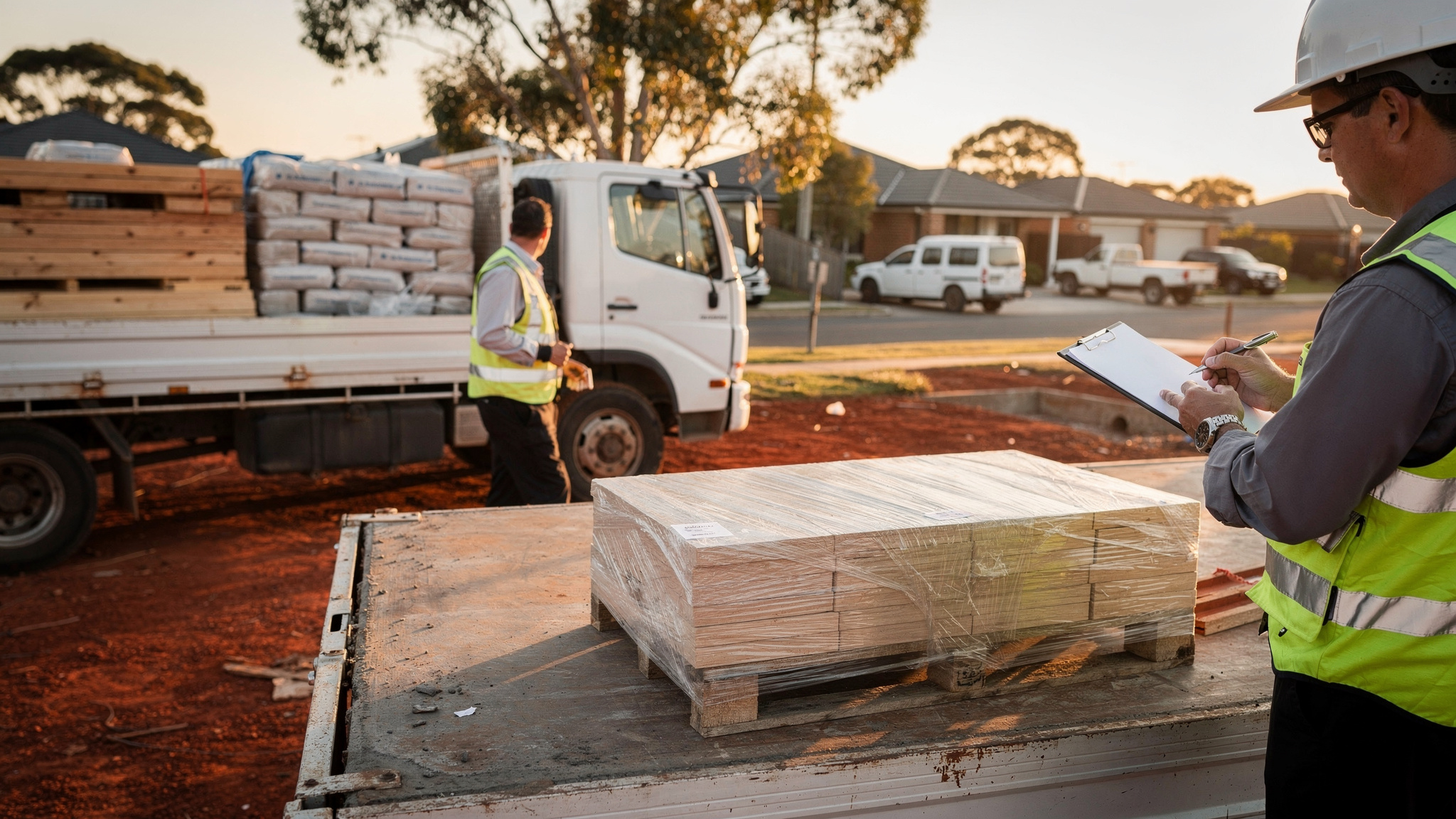
A proof of delivery form records who received a consignment, what arrived, where and when. At minimum it needs an order or consignment reference, the delivery address, date and time, item count and condition, the receiver's name and a signature or photo. Digital forms add GPS and timestamps automatically, which makes any record easier to find later.
Picture a Monday morning call about Thursday's delivery. With a well-built form, the answer takes moments: the reference, the time, the receiver's name and a photo of the goods where they were left.
Good records make that call easy for the office and reassuring for the customer.
What a proof of delivery form records, and why each field earns its place
A proof of delivery form is the handover record. It confirms the goods left your care and reached the right person or place, in the quantity and condition the order describes.
For Australian operators, that handover is usually at a tailgate. The Bureau of Infrastructure and Transport Research Economics notes in an older edition of its Freightline 1 publication that while rail carries a larger volume of freight overall, road is the main mode of transport for the majority of commodities produced or consumed in Australia.
So the loading dock, the site gate and the front door are where your records get made.
The volume moving through them is large. BITRE's Australian Infrastructure and Transport Statistics Yearbook 2023 puts the total domestic freight task at 778.7 billion tonne-kilometres in 2022-23, its second-highest level. At that scale, a delivery is easy to find again only when its record carries the same reference as the order.
Each field answers a question someone will ask later.
The reference ties the handover to the order, the consignment note and the invoice. The address and drop point show where the goods went, and a note such as reception, level two helps far more than a street number alone.
Date and time confirm the delivery window. Item count and condition confirm the order arrived complete and in good shape, or record exactly what needs following up.
The receiver's printed name and a signature or photo close the loop. For a wider look at the term itself, see Locate2u's guide to what proof of delivery means and how it works.
These fields also sit at the heart of how Franz Building Supplies delivers to construction sites: its drivers photograph each delivery on-site, and its full story appears later in this article.
The fields to include on your proof of delivery form, as a checklist you can copy
Copy these fields straight onto your own template. Keep the order, because it follows the way a handover happens at the door.
| Field | What to record | Why it helps |
|---|---|---|
| Consignment or order reference | The same number used on the order and consignment note | Matches the handover to the job and invoice |
| Customer details | Business or customer name and a contact number | Lets the office follow up quickly |
| Address and drop point | Street address plus the exact spot: dock, reception or site compound | Helps anyone locate the goods later |
| Date and time | The actual time of handover | Confirms the delivery window |
| Items and quantity | Each line with ordered and received counts | Shows the order arrived complete |
| Condition | Good, or a short note of any damage or shortfall | Captures exceptions at the door |
| Receiver name and role | Printed name, plus position for business deliveries | Puts a readable name beside the signature |
| Signature or photo | Signature when attended, photo of goods in place for agreed unattended drops | Confirms acceptance |
| Driver and vehicle | Driver name or ID and the vehicle used | Tells the office who to ask about the job |
Some freight suits an extra field. Chilled goods benefit from a temperature reading at handover, and site deliveries from a line describing where on site the load was placed.
Keep everything else off. Each extra box adds time at every door, repeated across every stop in the day.
A simple paper layout drivers can complete at the door in under a minute
The goal is a form a driver can finish in under a minute while the receiver is standing there. Layout does most of that work.
Start by pre-printing everything the office already knows. Reference, customer, address and the item list with ordered quantities should all be filled in before the truck leaves the depot.
That leaves only what happens at the door.
Received quantity. A condition tick. The time. The receiver's name and signature. A line for the drop point.
Use tick boxes wherever you can. Condition works well as a pair: one box for good, one for an issue, with space for a short note beside it.
Make the boxes big enough to fill in on a clipboard, standing up, on a windy afternoon. Give the printed name plenty of room.
A carbonless duplicate keeps things simple. The receiver keeps the top copy and the other returns to the office with the run sheet.
To get records back sooner, a quick phone photo of each signed form sent at the end of the run gives the office a copy the same day.
Keep the design identical across every book of forms. When every page looks the same, drivers know where to write and the office knows where to look.
How photos, timestamps and GPS add detail to a signed handover
A signature confirms someone accepted the goods. It doesn't show where they were placed or how they looked on arrival.
That's where the other layers come in.
A photo shows the goods and the drop point together. A timestamp records the moment of handover without anyone writing the time down. GPS location confirms the delivery happened at the address on the order.
Photos work best with a little structure. A useful set looks like this.
A wide shot showing the goods with something that identifies the place, such as a house number, a shopfront or site signage.
A closer shot of the label or consignment reference.
A photo of any damage, taken before unloading continues.
Digital proof of delivery keeps all of this with the job. Locate2u's proof of delivery features capture photo evidence, signatures and timestamps for every delivery, along with location data, creating a record the business and its customer can both reference.
Drivers photograph the delivery on-site using the Locate2u driver app. The fields mirror a good paper form, so the change feels familiar from the first shift.
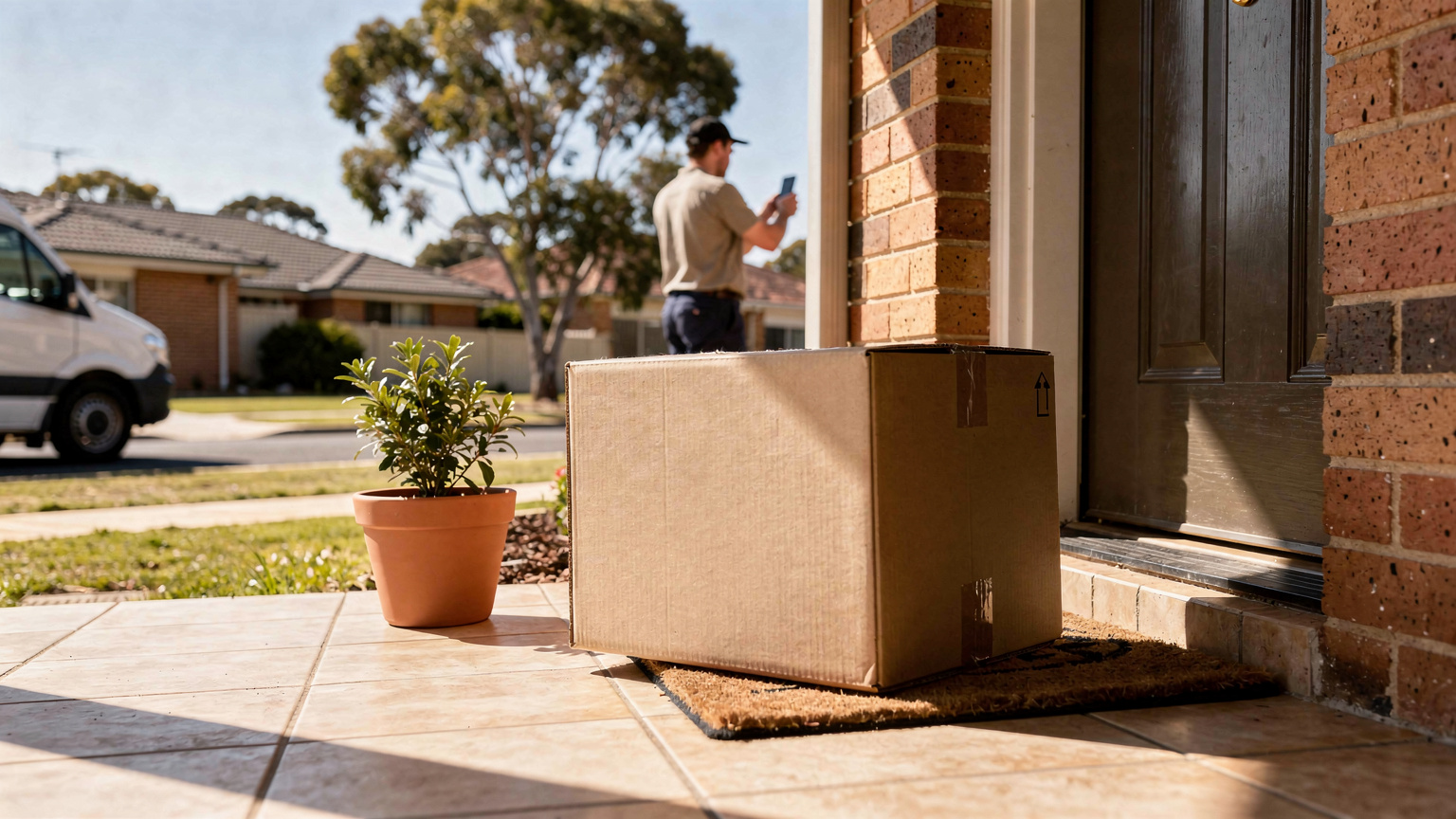
How to plan delivery records ahead of the pre-Christmas online shopping peak
Online buying is a large, steady part of Australian retail, and it shapes how many handovers your forms need to cover.
The Australian Bureau of Statistics reported in Retail Trade, Australia that total online retailing sales were A$4,703.8m in June 2025, in seasonally adjusted terms. In original terms, the same release shows the online proportion of total retailing rose from 11.9% to 12.7%.
That June 2025 release was the final publication of the series. The takeaway for planning holds: a form that works comfortably on a quiet winter week needs to hold up when your own orders build before Christmas.
Treat the months leading into the holidays as the window to have forms, devices and habits settled.
Settle any field changes by early spring, while there's time to brief the whole team.
Order printed form books early if you use paper. If you use digital, check phones, chargers and vehicle mounts.
Agree unattended-drop instructions with customers in advance, so the form records that authority alongside a photo.
Walk any extra drivers through the form on their first shift. Consistent records from every vehicle make the office's job far easier in December.
And plan capacity. When volumes outgrow the fleet, Locate2u's sister brand Zoom2u, an on-demand courier and delivery marketplace, can help cover overflow and same-day jobs.
Adapting your form for metro drops, regional runs and building sites
The core fields work everywhere. What changes is the drop point detail and how quickly the record reaches the office.
Metro drops. City delivery work is dense. BITRE's Yearbook 2023 reports that NSW road freight in 2022-23 was the highest on record at 84 billion tonne-kilometres.
In busy capital-city work, the drop point line does the heavy lifting. For apartments, offices and shopping centres, record the level, loading dock or reception, and the receiver's role.
Quick handovers suit a pre-printed form with tick boxes, or a digital form that captures time and location automatically.
Regional runs. Over long distances, paper forms can ride in the vehicle for days before reaching the office. Plan how the record gets back sooner, for example a photo of each signed form uploaded whenever signal allows.
Heat matters on hot days. For chilled or heat-sensitive goods, add a field for where the goods were placed, such as a cool room or a shaded spot, and the time they went there.
Building sites. When a site is unattended at delivery time, agree the drop location with the customer when the order is placed. Then record it precisely: lot number, gate and where on site the load was set down.
A wide photo showing the load beside site signage or the lot number gives the builder a clear view of what arrived and where.
For loading, unloading and heavy vehicle work, check current requirements with Safe Work Australia or your state WHS regulator and the National Heavy Vehicle Regulator.
Signs your team is ready to move from paper forms to digital proof of delivery
Paper forms can serve a small, steady run well. These signs suggest your team is ready for the next step:
- Customers ask for confirmation of a delivery, and the answer lives in a filing box at the depot.
- Delivery photos are taken on phones, then matched to jobs by hand.
- Forms from regional runs reach the office days after the delivery.
- Invoicing waits for paperwork to come back.
- Customers would like a live ETA before the truck arrives.
- Volumes are building towards the pre-Christmas peak.
Live tracking pairs naturally with digital proof of delivery. With Locate2u's real-time tracking, you can share live tracking links so customers can see when their delivery will arrive.
Moving over works best in small steps.
Keep the fields from your paper form. Drivers already know them, and the digital version fills some of them in automatically.
Start with a short pilot on one run or one vehicle, then roll out once the records look right.
Keep a book of paper forms in each vehicle during the changeover as a backup.
Plan the office side too: who reviews exceptions each afternoon, and how customers receive their confirmation. When you're ready to budget, the Locate2u pricing page sets out the available plans.
How Franz Building Supplies uses digital proof of delivery on every drop
Franz Building Supplies is a building materials and construction supply company. It delivers heavy and bulky products to construction sites, builders and trade professionals, and those customers rely on timely, accurate deliveries to keep projects on schedule.
The team wanted better visibility into its delivery operations and a reliable way to show that deliveries were completed correctly.
The gap was a shared record. Without a clear record of what was delivered, when and where, questions about whether an order was complete were hard to settle for everyone involved.
There was a wider goal as well. Drivers needed a system that kept them on track, management wanted clear visibility of daily operations, and the business wanted to lift the customer experience.
Franz Building Supplies implemented Locate2u's proof of delivery system, which captures photo evidence, signatures and timestamps for every delivery. Drivers now photograph each delivery on-site, creating a record that both the company and the customer can reference.
The team also began sharing live tracking links with customers, giving them real-time visibility into when their deliveries would arrive.
On its Franz Building Supplies case study page, the business describes the result: "What I love about Locate2u is the live-tracking features and proof of delivery. Our customer disputes dropped to nearly zero."
That's one business's result, and outcomes vary with order volume and delivery mix. The approach carries over well to other site deliveries: consistent fields, a photo showing the load in place, and a tracking link sent before the truck arrives.
Frequently asked questions
What is the difference between a consignment note and a proof of delivery form?
A consignment note travels with the goods and describes what is being sent, by whom and to whom. A proof of delivery form is completed at the handover and confirms what was actually received, by whom, when and in what condition, so the two work best when they share the same reference number.
Is a photo enough, or should the receiver still sign?
For attended deliveries, a signature plus a photo of the goods in place gives the clearest record. For unattended drops agreed with the customer in advance, a timestamped, location-tagged photo showing the goods and the drop point is the practical standard to aim for.
Can the same form be used for pickups and returns?
Yes. Keep the same fields but record condition and quantity at collection rather than drop-off, and have the person releasing the goods sign or be photographed with them, so both legs of the job share one reference.
What should a driver record if goods arrive damaged or short?
Note the quantity actually received, describe and photograph the damage before unloading further, and ask the receiver to sign against that note rather than a clean delivery. Then flag the job to dispatch the same day so the office can follow up while details are fresh.
A good proof of delivery form is short, pre-filled where possible and the same on every drop. Start with the checklist above, test it on one run, and when your team is ready to capture photos, timestamps and location automatically, explore Locate2u's digital proof of delivery for your fleet.