Delivery Barcode Scanners: Choosing Handhelds or Smartphones for UK Rounds
Drafted with AI assistance, edited and fact-checked by Sean Flannery. See our editorial policy.
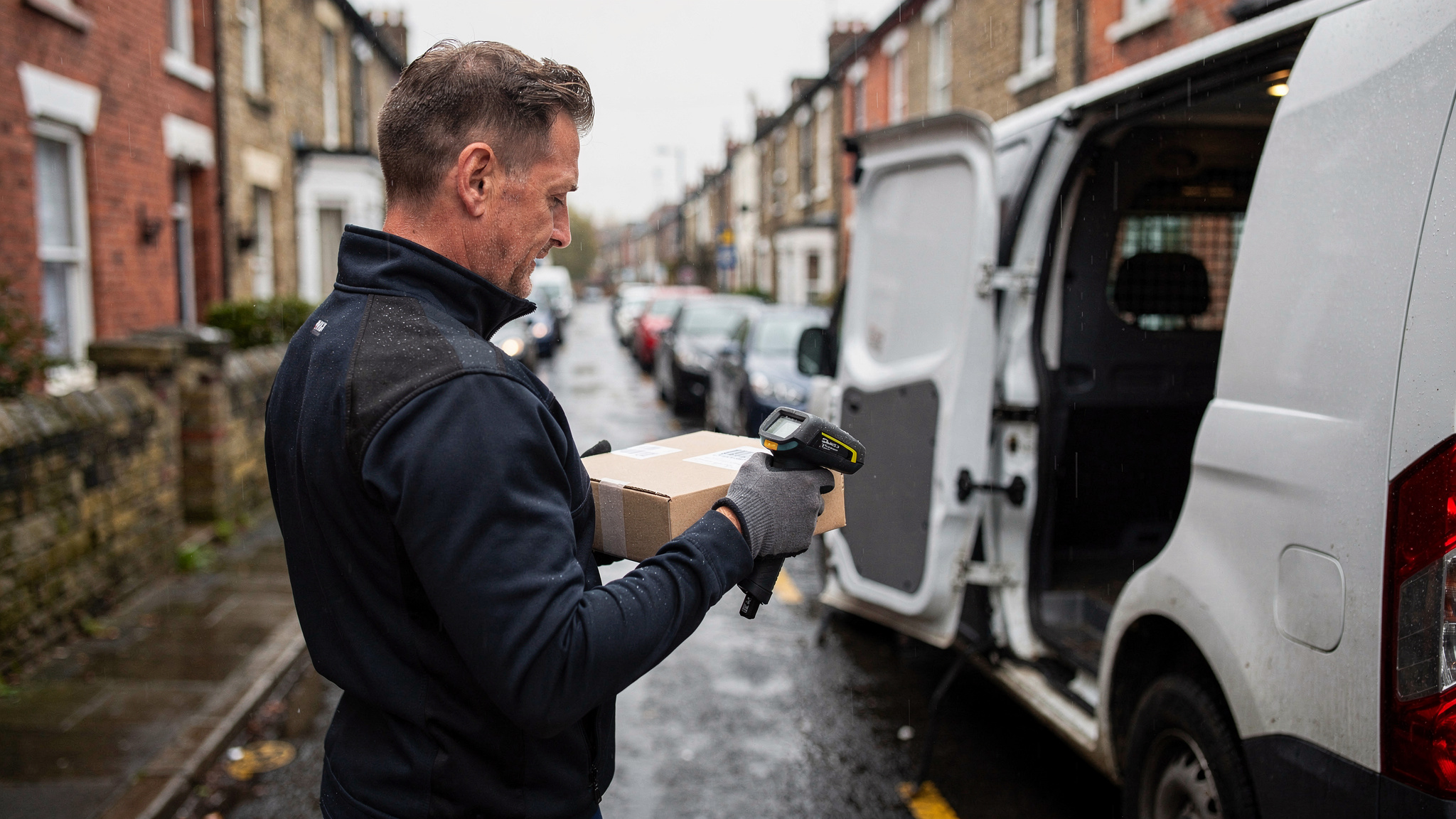
A delivery barcode scanner confirms each parcel at loading and at the doorstep, adding a timestamped entry to your proof of delivery record. UK teams generally choose between rugged dedicated handhelds, suited to heavy depot use and wet weather, and smartphones running a driver app, which are quicker to hand to extra drivers during the Q4 peak.
The choice carries real weight at UK volumes. Around 3 billion parcels are sent in the UK each year, according to the Local Government Association's May 2022 report on the future of last-mile deliveries.
Each parcel crosses a loading bay, a van floor and a front step before the job is done. So the practical question for a transport manager is not whether to scan, but which device suits which round: the tight terraces of a city centre, a market town's one-way system, or a run of farm lanes where the next drop is a long drive away.
What a delivery barcode scanner records at the van and on the doorstep
A scan is a small moment with a big job. It ties a specific item to a specific place and time, and on a well-run round it does that twice.
The first scan happens at the depot. As parcels go into the van, each one is checked against the round it belongs to, so a parcel meant for another route is spotted on the loading bay rather than halfway through the shift.
The second scan happens at the door. It confirms which item reached which address, and it stamps the moment it happened.
Around those scans sit the other parts of a complete handover record:
- a photo showing where the parcel was left or who took it
- a signature, where the client or the goods call for one
- a timestamp and location for the stop
- notes such as an agreed safe place or a neighbour's address
Franz Building Supplies shows what a complete record looks like day to day. The business delivers heavy and bulky building materials to construction sites, builders and trade professionals, and its customers rely on timely, accurate deliveries to keep projects on schedule.
The team wanted better visibility of its delivery operations and a reliable way to show that each delivery was completed correctly: what was delivered, when, and where.
It chose Locate2u's proof of delivery, which captures photo evidence, signatures and timestamps for every delivery, with drivers photographing each delivery on site. The team also began sharing live tracking links, so customers could see when their delivery would arrive.
On its case study page, Franz Building Supplies credits the live-tracking features and proof of delivery for the result: customer disputes dropped to nearly zero.
Site deliveries of building materials are a different trade from parcel rounds, and results vary with each operation. The principle carries straight across, though. The scan says which item arrived, and the photo, signature and timestamp show how it was handed over.
Matching scanning kit to dense town and city rounds on residential streets
Doorstep work happens on smaller roads, and the traffic data shows how much van driving that involves.
In 2024, 35% of van miles in Great Britain, 20.6 billion vehicle miles, were driven on minor roads, according to the Department for Transport's road traffic estimates for 2024.
Minor roads take in the residential streets where a van pulls in, a parcel is scanned and handed over, and the round moves on. That makes scanning speed at the kerb a daily productivity question.
Rounds also stay close to the depot. The Department for Transport's survey of van keepers found that around half of all vans in Great Britain, 51%, stayed within 15 miles of their base on a typical day in 2019-20, as reported in its van statistics for 2019 to 2020.
Short, local, many-drop rounds put the scanner in the driver's hand at almost every stop. So judge the device on how quickly it goes from pocket to scan and back again.
What to look for on busy residential streets:
- One-handed scanning, because the other hand is holding the parcel.
- A first-time read in bright sun, drizzle and dusk.
- A quick switch from scan to photo on the same screen.
- A holster, clip or lanyard, so the device rides with the driver rather than in the cab.
- A screen that stays usable with damp fingers or thin gloves.
Narrow streets and limited stopping space add another consideration. When the van waits a short walk from the door, a device that clips on keeps both hands free for the parcel, the gate and the doorbell.
Flats and shared entrances deserve their own routine. Agree whether drivers scan at the building entrance or the flat door, and what the photo should show, so the record reads the same whoever made the delivery.
The simplest test is a timed one. Run the same stretch of a real city round with a handheld one day and a phone the next, then compare time per stop and the number of rescans.
Keeping scans flowing on rural rounds with dispersed addresses
Rural rounds ask different things of the same kit. The Local Government Association notes that some last-mile solutions suited to urban areas may not suit rural areas, where 9.7 million people, 17% of England's population, live, in its May 2022 report on last-mile deliveries.
So choose rural devices for rural conditions rather than copying the city setup.
Stops sit further apart, and more of the shift is spent driving. Battery life across the whole day can matter more than raw scanning speed, so test each device on your longest round with the cab charger it will actually use.
If parts of a round have weak mobile signal, check that scans, photos and signatures are stored on the device and upload once the connection returns.
Addresses need a little extra care too. Farms, converted barns and named houses are easier to confirm when the scan is paired with a photo of the gate, the porch or the agreed safe place.
And rural yards can be wet and muddy through winter, so weather sealing and a grip that works with gloves earn their place on these rounds.
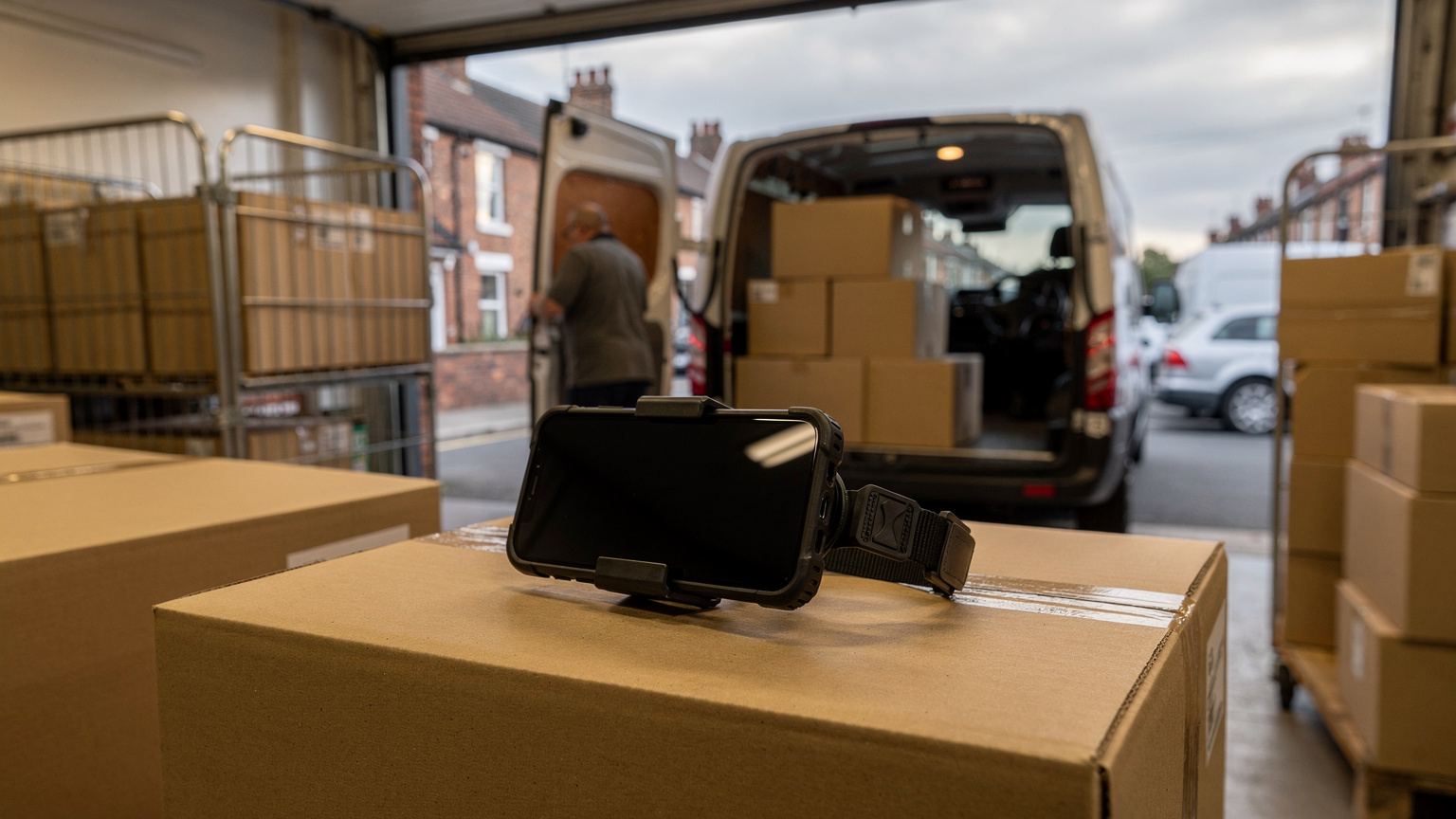
Dedicated handhelds and smartphones compared, criterion by criterion
Neither device suits every round. The better choice comes from where the scanning happens, how often, and who is holding the device.
A dedicated handheld is built around the scanner. It generally suits long loading sessions at the depot and outdoor work in rain and wind.
A smartphone running a driver app scans with its camera and carries photos, signatures and stop details in one device. It is quicker to hand to a temporary driver.
| Criterion | Dedicated handheld | Smartphone with driver app | How to test it |
|---|---|---|---|
| Wet and windy rounds | Generally sealed against rain and drops | Varies by model; a rugged case helps | Scan outdoors in rain and low light |
| Long depot loading sessions | Generally suited to heavy, repeated scanning | Worth testing across a full session | Time a full van load on each device |
| Creased or glossy labels | Test with your own labels | Test with your own labels | Compare failed reads on the same batch |
| Photos and signatures | Check camera quality and screen size | Camera and touchscreen built in | Capture both at a real doorstep |
| Equipping extra drivers | Units bought or held in reserve | Generally quicker to hand out | Time a new driver's setup to first scan |
| Battery across a shift | Check against your longest round | Check against your longest round | Run a full shift without a top-up |
A mixed setup is one practical answer: handhelds on the loading bay and the busiest rounds, phones for occasional drivers and peak weeks.
Cost belongs in the comparison, but it depends on your own contracts, device lifespan and the spares you hold. Price your shortlist over a full year of use, including cases, mounts and replacements, rather than on the purchase price alone.
Whichever delivery barcode scanner you choose, test it on your own labels. Label quality varies by client, and a device that reads crisp labels in the office can behave differently with a creased one in the rain.
How scan-backed proof of delivery builds customer confidence
Customers want to know one thing: that their order arrived. A scan-backed record answers that in seconds.
A delivery barcode scanner adds the detail a photo alone cannot give, which is the exact item. The timestamp says when, the photo shows where it was left, and the signature shows who took it where one was collected.
Together, that record lets a customer service team answer a customer's parcel query with facts on the first contact.
It helps drivers too. Their good work is visible in every record, and questions can be answered from the office without calling them back mid-round.
For a fuller explanation of what counts as proof and how records are used, see this guide to what proof of delivery means for a delivery team.
A few habits keep records consistent across the fleet.
Scan before the photo, so the record runs in the order the handover happened.
Frame the photo to show the parcel and a fixed feature, such as the door or porch, in a way that respects the household's privacy.
Use the same safe-place wording everywhere, so notes read the same whoever wrote them.
Review scan exceptions each day, and treat a missed doorstep scan as a process gap to fix, such as a device that needed charging or a label that would not read.
The same record can drive customer updates. Once the doorstep step is complete, the customer can be told the delivery has arrived, with no phone call needed.
Getting extra drivers scanning quickly for the Q4 peak
The peak shows up clearly in retail data. Online retail's share of sales in Great Britain reached 30.0% in Q4 2025, up from 26.7% in Q3 2025, according to the Office for National Statistics online sales series.
Q4 covers the run-up to Christmas, when extra drivers and extra rounds join the operation. That makes onboarding speed a scanning decision as much as a staffing one.
Smartphones earn their place here. A temporary driver on an approved phone with the Locate2u driver app has their stops and proof of delivery capture in one place once the account is set up.
A short, repeatable onboarding routine keeps the first shift calm:
- Decide which device each driver type uses, and set up accounts before the peak weeks begin.
- Pack a standard kit for every temporary driver: phone mount, charging cable, cab charger and a grip or lanyard.
- Run a short scanning walkthrough with real labels from your depot, including a creased one and a glossy one.
- Pair each new driver with an experienced colleague for their first loading session.
- Review scan exceptions together at the end of the first shift, and sort any device or label issues before the next one.
Loading bays get busier in these weeks too. Keeping handhelds on the bay and phones on the extra rounds is a sensible split to consider.
Connecting scans to routes, live tracking and customer updates in Locate2u
A scan is most useful when it sits alongside everything else about the stop. Locate2u brings the route, the driver's progress and the proof of delivery together for each delivery.
Locate2u route optimisation generates routes based on delivery locations, time windows and driver availability, and new orders can be slotted into existing routes during the day.
Each stop's proof of delivery captures photos, signatures, timestamps and location data, giving the office the full picture of every handover.
With real-time tracking, dispatchers see every vehicle on a live dashboard, and customers follow their delivery through a live tracking link. Automated notifications keep recipients informed about their delivery status.
When you assess scanning in Locate2u, bring labels from your own depot. Ask the team to show how each scan appears in the stop record beside the photo and signature, then try it on a city round and a rural round.
Plans and what each one includes are set out on Locate2u's pricing page, so you can compare options for your fleet.
Frequently asked questions
Can smartphone scanning cope with creased or rain-soaked labels?
Run a short test with labels taken from your own depot, including creased, wet and glossy ones, scanned outdoors and in low light. Compare read speed and failed reads on the phone against a dedicated handheld before deciding which device goes on which round.
Do drivers still need to collect signatures if every parcel is scanned?
A scan confirms which item reached the address, while photos, signatures and timestamps confirm the handover itself. Franz Building Supplies captures photo evidence, signatures and timestamps for every delivery, so the two work best together rather than as substitutes.
Should drivers scan with their own phones or company devices?
Decide device ownership before rollout and standardise on one or two approved models, so training, charging cables and grip mounts are the same for everyone. A standard kit also makes it simpler to equip temporary drivers who join for peak weeks.
Which barcode types should a delivery scanner read?
List every code format printed on the labels you handle, both linear barcodes and 2D matrix codes, and confirm the device or app reads all of them. Include labels from any clients or suppliers whose parcels move through your depot.
Choose devices round by round: sealed handhelds where scanning is heavy and the weather is rough, phones where speed of setup matters most, and a clear photo and signature alongside every scan. To see how a complete handover record comes together, explore Locate2u proof of delivery and map it against your own rounds.