Dispatch Tracking Solutions Compared: The 3 Software Categories and 8 Questions That Decide the Fit
Drafted with AI assistance, edited and fact-checked by Sean Flannery. See our editorial policy.
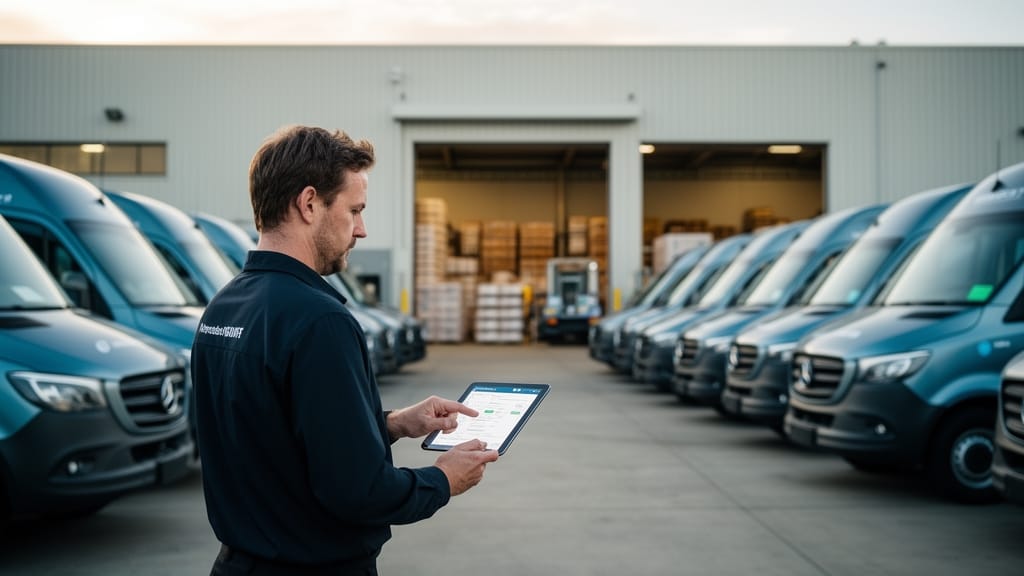
Dispatch tracking solutions are software platforms that connect job allocation to live execution visibility, assigning stops to drivers and then tracking each job by GPS and status event until completion. They fall into three categories: GPS-only telematics, back-office courier TMS, and end-to-end delivery management platforms that combine dispatch, route optimisation, live tracking, ETA notifications and proof of delivery in one workflow.
The Dispatch Blind Spot That Shows Up Around Stop 40
A courier operation running roughly 40 stops per driver buys a GPS tracking platform and gets precisely what the demo promised: every van on a live map, updating every few seconds. Three weeks later the dispatcher is still working the phone.
Stop 19 failed. Nobody was home, the driver photographed the door, and the job now has to be manually pulled out of the run and re-slotted into someone else's afternoon. Stop 27 has slipped ninety minutes because of a closed road, so the dispatcher rings the customer to renegotiate a window. The proof-of-delivery photo from stop 12 is sitting in a driver's camera roll, and when the customer disputes the delivery on Thursday, someone spends twenty minutes in a group chat trying to find it.
The platform tracks. It does not dispatch. That seam, between knowing where a vehicle is and knowing what that vehicle is supposed to be doing, is the most expensive mistake in this buying category, and almost nothing on the first page of search results explains it. Gartner makes the same distinction at supply chain level: end-to-end visibility depends on connected execution data, not location data alone. The rest of this guide maps the three architectures on sale, the capabilities that separate them, and the eight questions that settle a shortlist.
What Are Dispatch Tracking Solutions? (And What They're Often Confused With)
A dispatch tracking solution is software that assigns jobs or stops to drivers, sequences those jobs into routes, and then tracks each one through to completion using GPS location plus status events such as en route, arrived, delivered, attempted or cancelled. The dispatcher works from a single board. The driver works from a mobile app. The recipient gets an ETA. The business gets a record.
Two things get confused with it, and both cost buyers money.
GPS fleet tracking and telematics show vehicle position, speed, idling, harsh braking and engine data. Useful for compliance, utilisation and safety. It has no concept of a job, so it cannot reassign a failed stop or recalculate an arrival time, because it does not know an arrival time was ever promised.
Vendor brand names. Several products in this market use words very close to "dispatch" and "track" in their brand. If you arrived here half-remembering a company name, the category term and the brand are not the same thing, and the category is what determines whether the software fits your operation.
The distinction matters commercially because the final leg carries the cost. McKinsey puts last-mile delivery at roughly 50% of total parcel delivery cost. The World Bank treats tracking and tracing as one of six weighted dimensions in its Logistics Performance Index, alongside customs, infrastructure and timeliness. Visibility is infrastructure, not a feature upgrade.
The Three Types of Dispatch Tracking Solutions, and Who Each One Suits
Most mis-purchases are category errors. A team buys category one when the operation needs category three, then spends a year building spreadsheets around the gap.
| Category | What it does well | What it cannot do | Choose this if |
|---|---|---|---|
| 1. GPS telematics / asset tracking | Live vehicle position, trip history, idling and driver behaviour reporting, vehicle and asset utilisation, geofencing | No job allocation, no route sequencing, no ETA to a named customer, no proof of delivery, no exception workflow | Your dispatch already lives in an ERP or TMS and you only need vehicle-level visibility and compliance data |
| 2. Back-office courier TMS | Order intake, manifests, consignment records, rate cards, driver settlements, invoicing and accounting, franchise and contractor billing | Optimisation depth is usually shallow; recipient-facing tracking and ePOD are often bolt-ons rather than core; field service job types fit awkwardly | Billing and settlement complexity outweighs routing complexity, and your revenue model is the hard part of the business |
| 3. End-to-end delivery management platform | Job allocation, route optimisation across time windows, capacity, driver skills and traffic, live tracking, dynamic re-routing, exception handling, recipient ETA notifications and electronic proof of delivery in one workflow | Deep freight accounting, rate-card arbitration and settlement usually sit in a finance system it integrates with | Your cost and your customer complaints both come from the road, not the ledger |
Category three is where dispatch planning software and route optimisation stop being separate purchases. The workflow reads: import orders by CSV, API or e-commerce connection; optimise across constraints; dispatch to the driver app in one action; track progress on the live board; capture proof at the door; report on on-time rate and stops per route the next morning. Locate2u is built as a category-three platform, which is why dispatch, optimisation, real-time tracking, customer comms and proof of delivery are one product rather than five line items.
The Capability Checklist: What Dispatch Tracking Software Has to Do End to End
Feature lists are easy to match on a website and hard to match in production. Judge each capability by its failure mode instead.
| Capability | What good looks like | Failure mode you will feel by week three |
|---|---|---|
| Order intake | CSV, API, e-commerce and ERP paths, with address validation on import | Someone retypes orders every morning and geocoding errors send drivers to the wrong side of an industrial estate |
| Allocation and optimisation | Multi-driver, multi-depot sequencing that respects time windows, vehicle capacity, driver skills and live traffic | Routes look tidy on the map but ignore a two-hour window, and the dispatcher hand-edits every run |
| Live tracking | Vehicle position plus job status on one board, with progress against plan | You can see the van is moving but not whether it is running late |
| Exception handling | Failed, refused and rescheduled stops reassigned in a few clicks, with the reason captured | Failures live in phone calls and a whiteboard, and nobody can report on why deliveries fail |
| Recipient notifications | Configurable SMS and email triggers with an updating ETA | Customer service absorbs "where is my order" calls all afternoon |
| Electronic proof of delivery | Photo, signature, notes, timestamp and geo-stamp, searchable by order | Disputes are settled from memory, and you write off the claim |
| Driver app behaviour | Works through dead zones, queues captures, syncs on reconnect | A basement loading dock wipes an hour of scans |
| Reporting | On-time delivery rate, stops per route, service time, failed-delivery reasons | You cannot prove the software paid for itself at renewal |
Customer-Facing Tracking: The Half of Dispatch Most Platforms Under-Build
Back-office-weighted platforms narrate the dispatcher's day in detail and treat the recipient as an afterthought. That is a structural gap, not a minor one, because the recipient generates the cost. Every unanswered "where is my driver" becomes a phone call, and every failed first attempt becomes a second visit charged against the same revenue.
Three capabilities carry the load. A branded live tracking link gives the recipient a map view and an ETA that updates as the run changes, which removes the call before it happens. Automated status notifications by SMS or email at dispatch, at approach and at completion set expectation early enough for someone to be there. Electronic proof of delivery with photo, signature, timestamp and geo-stamp closes the loop, and it is the only thing that ends a dispute cleanly.
PwC identifies customer expectations for speed, transparency and flexibility as a primary force reshaping transport and logistics operating models. Treat recipient-facing tracking as an operating requirement and the evaluation gets simpler: if it is an add-on module, it was built late.
Dispatch and Tracking Requirements by Operation Type
Courier-branded software often reads as irrelevant to pharmacy, cold chain, trades and field service teams, and the branding is usually honest about the fit. Constraints, not industries, decide the software.
| Operation type | Dispatch constraint that decides the platform | Locate2u in this context |
|---|---|---|
| Cold chain and food | Time windows plus temperature-sensitive sequencing, so the shortest route is not always the correct route | Refrigerated food delivery, as run by Madam Seafood |
| Pharmaceutical | Chain of custody, signature capture and retention of delivery evidence for compliance | Prescription delivery routing, as run by SuperPharmacy |
| Heavy goods and site delivery | Vehicle capacity, load type and site access, including gate hours and unloading equipment | Building supply and site routing, as run by Franz Building Supplies |
| Courier operations | Stop density at volume with proof of delivery captured on every job | Multi-driver courier dispatch, as run by Perth Couriers |
| Scheduled collections | Recurring route templates and pickup, rather than drop, as the primary job type | Container collection routing, as run by Containers for Change |
| Field service | Skills-based allocation, variable job duration and parts availability, not fixed drop times | Scheduled maintenance routing, as run by PTSQ |
The practical test: a parcel-first platform optimises for stop density and assumes every job takes four minutes. Field service dispatch software has to assume a job might take twenty minutes or two hours and reflow the rest of the day when it runs long. A platform that handles both parcel work and heavy goods, and both drops and collections, is doing something structurally harder than one that picked a lane.
8 Questions to Ask Every Dispatch Tracking Vendor Before You Shortlist
- What is the order intake path? Ask specifically about CSV, open API, e-commerce connectors such as Shopify or WooCommerce, shipping platforms such as ShipStation, and ERP or accounting links. If the answer is "we can build that", it is a project, not an integration.
- What happens above 100 stops per route? Ask for a live optimisation on your own data, at your real volume. Optimisers that look instant on 25 stops behave differently at 150.
- How does it handle multiple depots and mixed vehicle types? Can drivers start from home, load at different sites, or run split shifts, without manual pre-sorting?
- Walk me through a failed delivery. Who captures the reason, how is the stop reassigned, does the recipient get told, and does the failure appear in a report?
- How configurable are recipient notifications? Which triggers, which channels, whose branding, and can the ETA window be tightened or widened per customer type?
- How is proof of delivery captured and retrieved? Photo, signature, notes, timestamp, geo-stamp. Then ask how long it takes to find one specific POD from six weeks ago during a dispute.
- What does the driver app do without signal? Basements, rural gaps and cold rooms are normal. Captures should queue locally and sync on reconnect.
- Which numbers does it report out of the box? On-time delivery rate, stops per route, service time per stop and failed-delivery reasons. If those need a data analyst, you will never look at them.
Ask all eight of the same vendor in the same call. Category-one and category-two products tend to answer four or five confidently and get vague on the rest, which is exactly the diagnostic you want.
How to Implement a Dispatch Tracking Solution Without Stalling Operations
Most operations go live in two to six weeks. The sequence matters more than the speed.
Week one: fix the data. Standardise addresses, strip duplicate customer records, and confirm geocoding on the awkward ones, which are almost always industrial estates, apartment complexes and rural properties. Bad address data breaks routing faster than any software limitation.
Week two: connect intake and set constraints. Wire up the order source, then configure the rules that reflect how you actually operate: time windows, vehicle capacity, service duration by job type, driver skills and licences, depot start times.
Week three: pilot narrow. Run one depot or one route group in parallel with your existing process. Two or three drivers, chosen because they will tell you the truth about the app. Fix what the pilot exposes before it becomes a company-wide complaint.
Week four onward: roll out and switch off the old way. Train drivers on the app in fifteen minutes, not an hour, and make the trainer a driver from the pilot. Keep manual dispatch running for a few days as a safety net, then turn it off deliberately. Parallel processes that never end are how implementations quietly fail.
Methodology: How These Categories Were Assessed
The three-category split is drawn from what each architecture can structurally do, not from marketing positioning. The test applied to each was simple and workflow-based: can the platform receive an order, allocate it to a named driver, sequence it against real constraints, show its live status, notify the recipient, capture evidence at the door, and report on the outcome without a second system in the chain? Telematics products answer part of that. Back-office courier platforms answer a different part, usually the commercial part, and answer it well. End-to-end delivery management platforms are defined by answering all of it in one workflow.
No vendor rankings, scores or pricing comparisons are asserted here, because those change and because the buying decision at this stage is architectural. Industry constraints are described from live Locate2u deployments and linked to the relevant customer page rather than summarised as numbers.
Choosing the Right Fit for Your Operation
If dispatch already happens in another system and you only need vehicles on a map, buy telematics and stop there. If your genuine complexity is settlements, rate cards and consignment billing, a back-office courier TMS is the right centre of gravity. If your cost and your customer complaints both originate on the road, you need a category-three platform, and the eight questions above will tell you within one call whether a vendor is actually one.
Locate2u sits in that third category by design: dispatch, route optimisation, live tracking, recipient notifications, electronic proof of delivery and reporting in a single platform, with native integrations across Shopify, WooCommerce, ShipStation, Xero, ServiceM8 and Zapier, and support for operations in Australia, New Zealand, the United States, the United Kingdom and Canada. It runs parcel work and heavy goods, drops and scheduled collections, and it treats a one-to-five driver operator as a first-class user rather than an edge case, which matters because most operations scale into enterprise volume from exactly there.
Ready to test it against your own routes? Book a walkthrough of dispatch planning and bring a real day's stop list, not a sample file.
FAQs
What is a dispatch tracking solution?
A dispatch tracking solution is software that assigns jobs or stops to drivers and then tracks each job through to completion using GPS location and status events. It typically combines a dispatcher dashboard, route optimisation, live vehicle tracking, exception alerts, recipient ETA notifications and electronic proof of delivery in one workflow.
What is the difference between dispatch tracking software and GPS fleet tracking?
GPS fleet tracking shows where vehicles are. Dispatch tracking software also knows what each vehicle is supposed to be doing: which stops are assigned, which are complete, which failed, and what the revised ETA is. If your platform can show a van on a map but cannot reassign a failed stop, it is telematics, not dispatch tracking.
How do I choose a dispatch tracking solution?
Start by identifying which of the three categories fits: telematics-only, back-office courier TMS, or end-to-end delivery management. Then test the vendor on order intake integration, route size limits, exception handling, recipient notifications, proof-of-delivery capture, driver app offline behaviour, and reporting on on-time delivery rate and stops per route.
Do dispatch tracking solutions work for field service, not just couriers?
Yes, but the constraints differ. Field service dispatch software must handle skills-based allocation, variable job durations and parts availability, whereas parcel dispatch optimises for stop density and time windows. Platforms built only around parcel manifests and courier billing often struggle with variable-duration jobs.
Does dispatch tracking software include customer notifications?
The better ones do. Recipient-facing capability typically means a branded live tracking link with a map view and updating ETA, automated SMS or email status notifications, and electronic proof of delivery with photo, signature and timestamp. Back-office-weighted platforms often treat these as add-ons rather than core.
How long does it take to implement a dispatch tracking solution?
Most operations go live in two to six weeks. The sequence that works: clean and standardise address and customer data, connect order intake, configure time windows, capacity and driver skills, pilot with one depot or route group, then roll out with driver app training before switching off manual dispatch.